
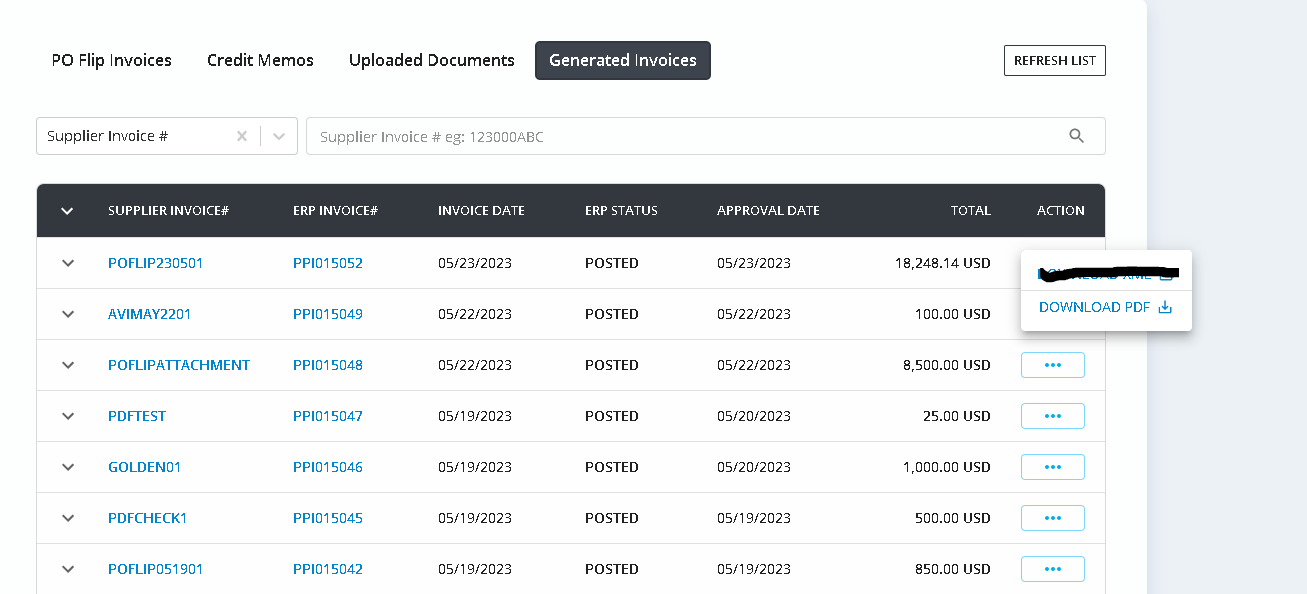
Generated Invoices Tab has all the "Posted" invoices listed in a grid.

To view the details of the invoice click on the Supplier Invoice # or the ERP Invoice #.

The invoice can be downloaded in PDF format using the Download PDF option available under Action column.
Invoice can also be downloaded as PDF from the invoice details page
